3D scenes
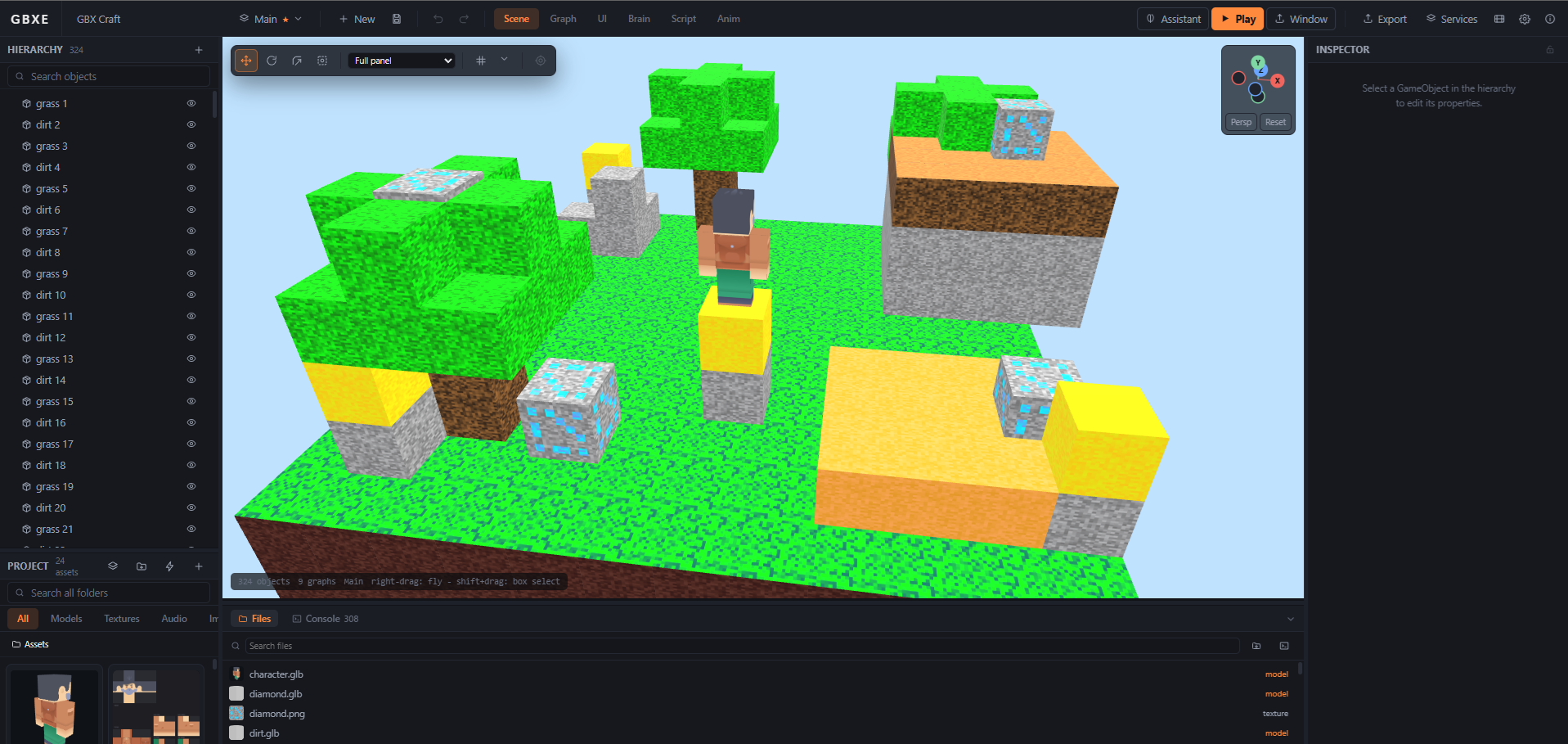
Meshes, materials, lights and shadows on Babylon.js. Import .glb and .fbx by dropping them in, with their clips and textures discovered for you.
A full engine in a browser tab: scene, physics, animation, particles, terrain and UI, driven by a visual node graph or by real code. Press Play. Export to the web, the desktop, or a phone.
No install. No credit card. Your first game exports free.
Prefer a desktop app? Download for Windows
Every part below is in the editor today — no plugins to find, no second tool to learn, and nothing that only works in the demo.
Meshes, materials, lights and shadows on Babylon.js. Import .glb and .fbx by dropping them in, with their clips and textures discovered for you.
Sprites, sheets, tilemaps imported from Tiled, and a paint editor. Flat projects get flat habits: front view, orthographic camera, bodies held in their plane.
96 nodes across events, flow, maths, transforms, physics, UI, audio and AI. Behaviour you can read across a room, and undo one step at a time.
JavaScript in a Monaco editor that autocompletes against the engine's own declarations. Scripts and graphs call the same services, so an object can carry both.
Arcade collision for predictable platformers, or Havok for real rigid bodies and joints — hinge, ball, slider, spring. Same nodes either way.
A timeline with bezier curves and draggable handles, clips that cross-fade, and animation events that fire footsteps and hit frames on the exact frame.
Fire, smoke, sparks, magic, water, leaves and bursts as presets, tuned by eye while they run — and fired from a graph when something happens.
3D sound attached to objects with real falloff, a listener that rides the camera, and an audio editor for trimming what you import.
Menus, HUDs and score counters laid out on a visual stage that scales to any screen, with one-click bindings to the variables behind them.
Sculpt brushes, multi-layer texture painting, a scattering sky with a time-of-day control that moves the sun, the light and the god rays together.
Up to four players on one screen. Objects have owners, so one graph copied onto two characters is already a two-player game.
Save a tree of objects, place it anywhere, and push a change to every instance. Multiple scenes, with objects that survive the switch.
Every picture here is captured automatically from the engine itself, so it cannot go stale.
A voxel world, its blocks, and the character that walks it
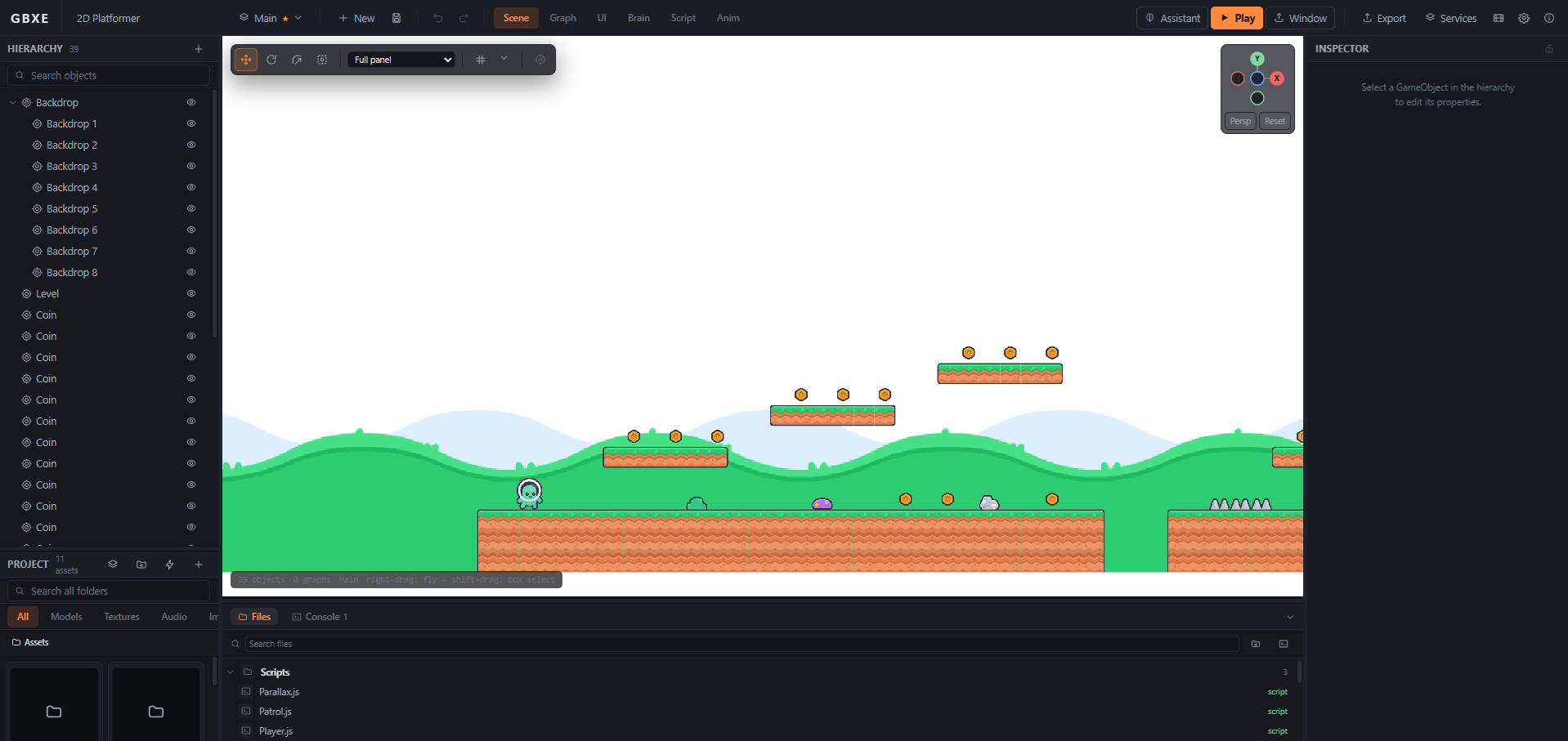
2D is the same editor, told to think flat
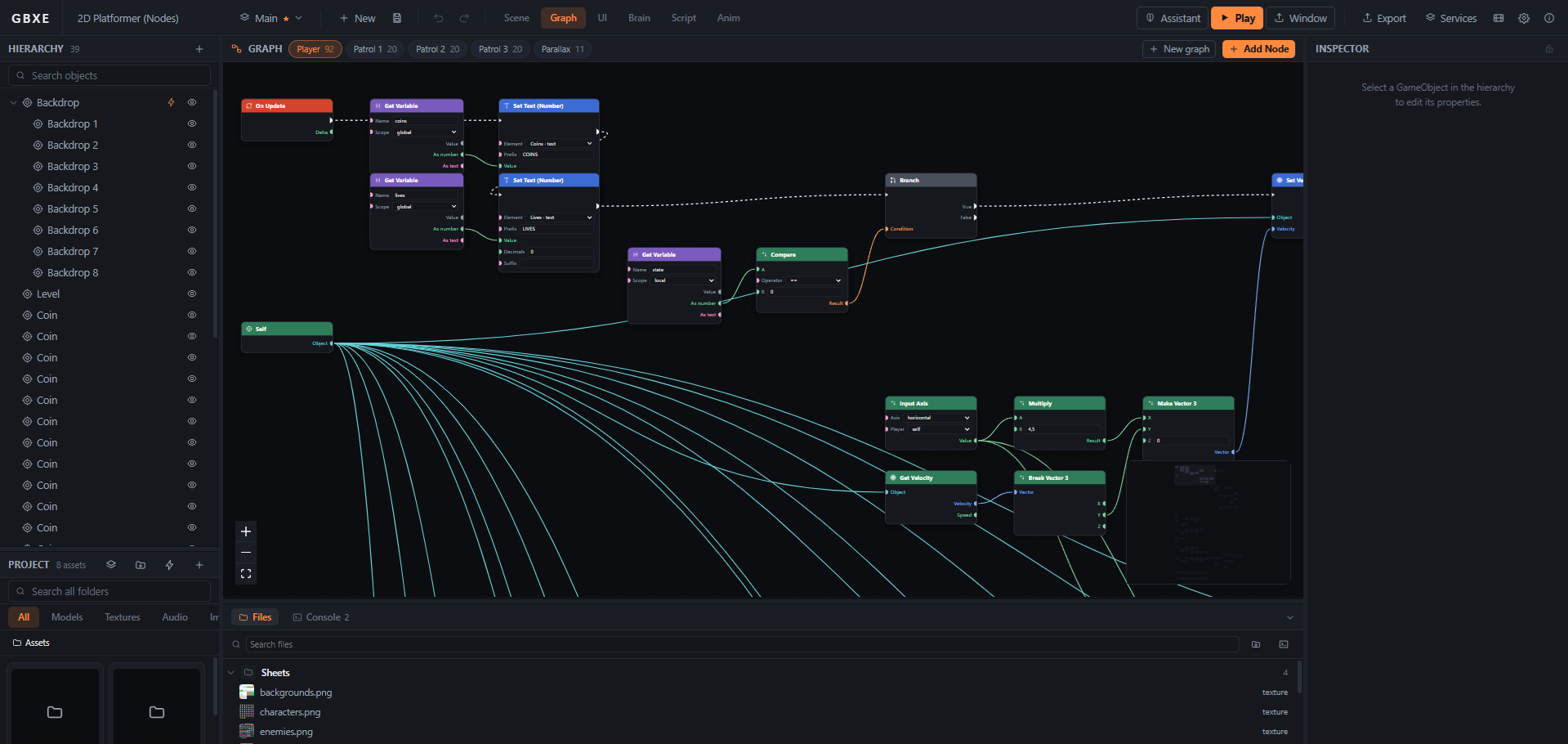
Behaviour as a graph — events, flow, and everything the engine can do
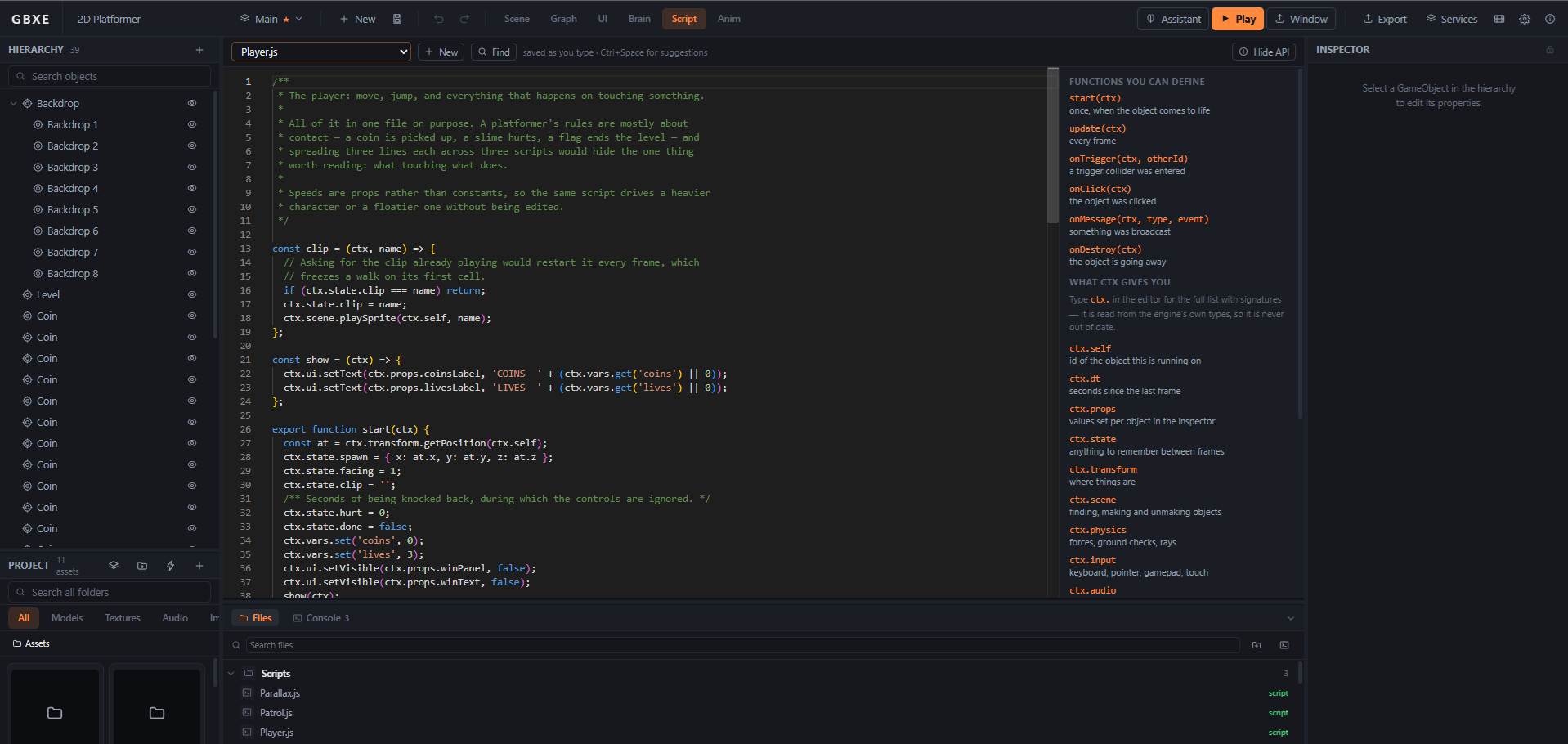
Or as code, against the same engine the nodes call
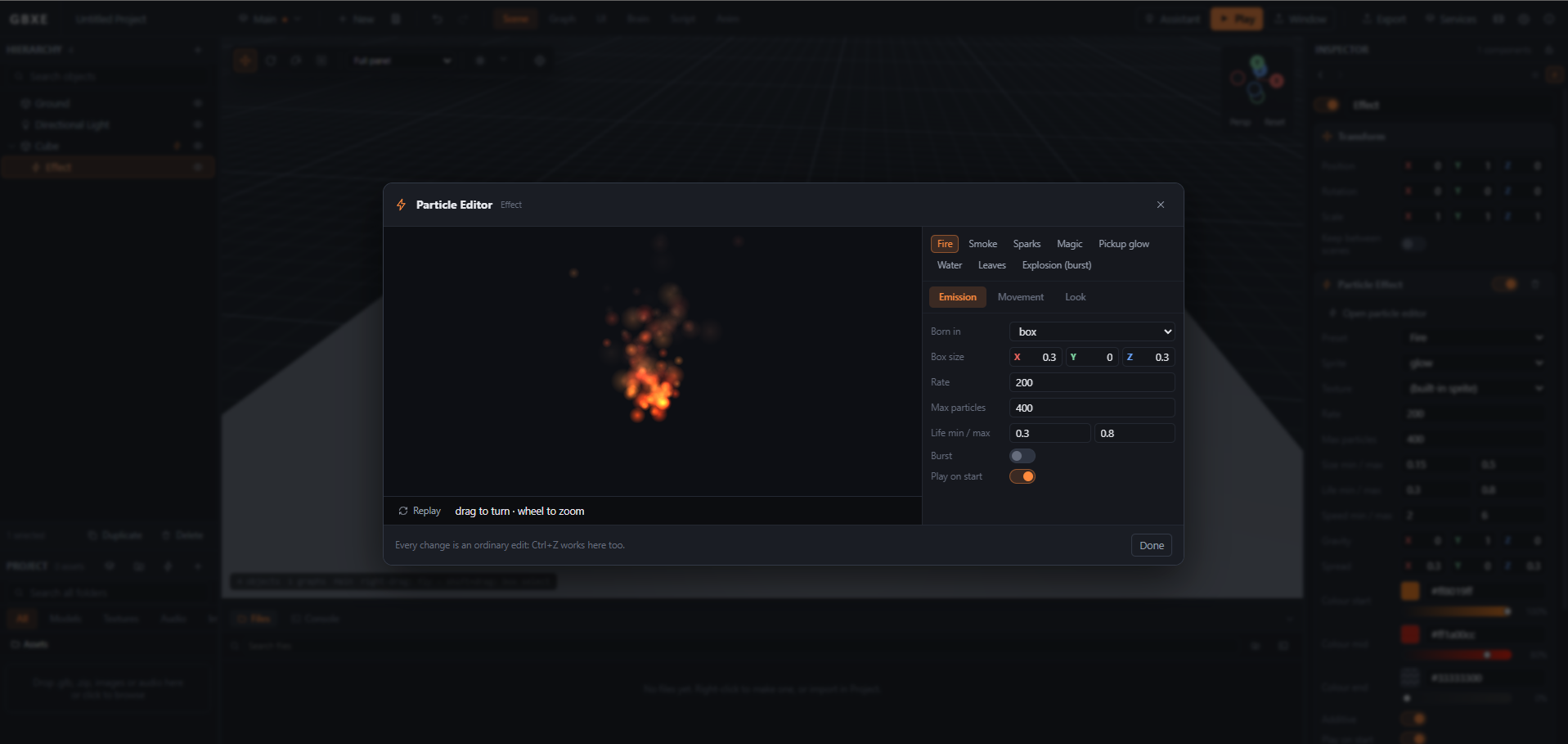
Particles, tuned by eye while they run
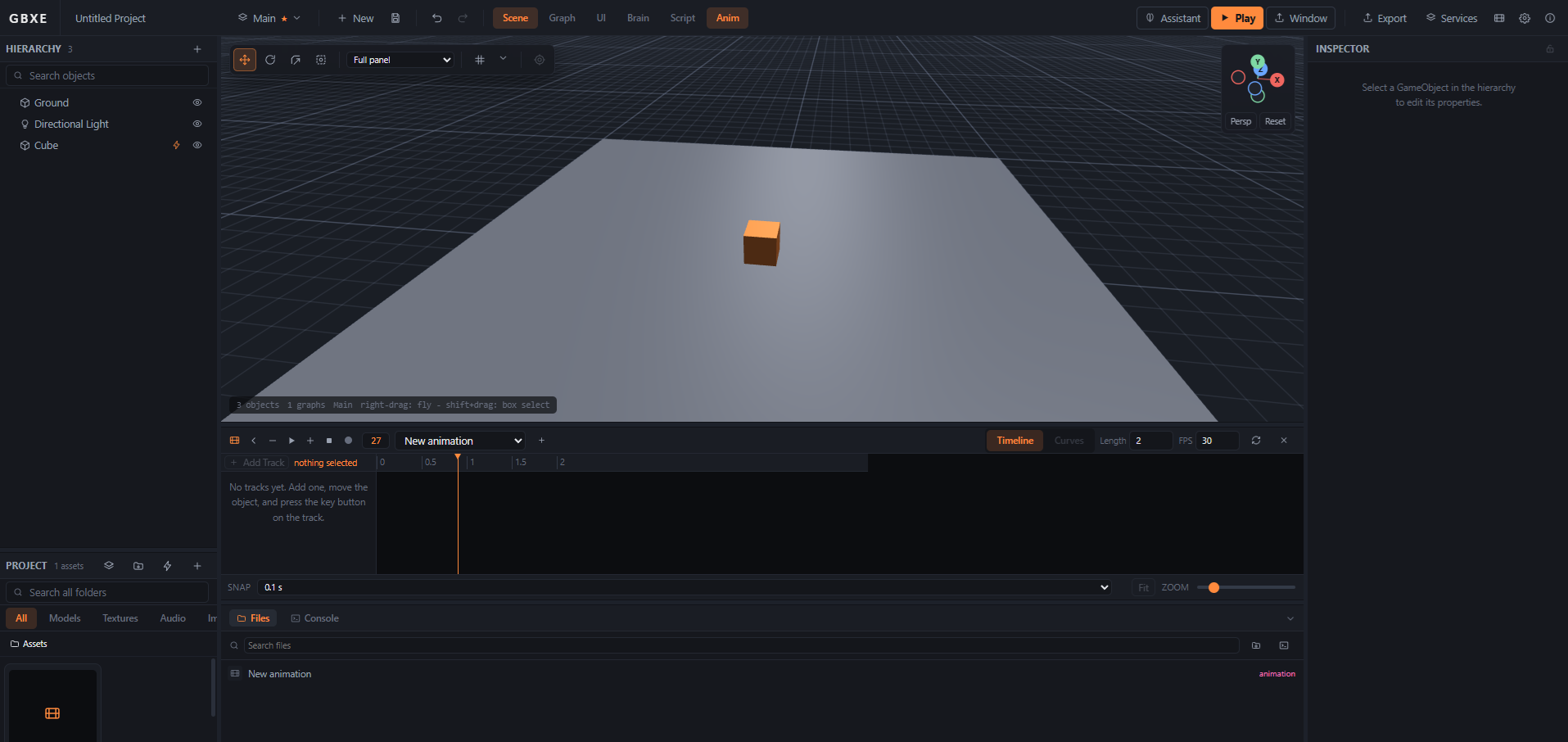
A timeline with real curves, and handles you can drag
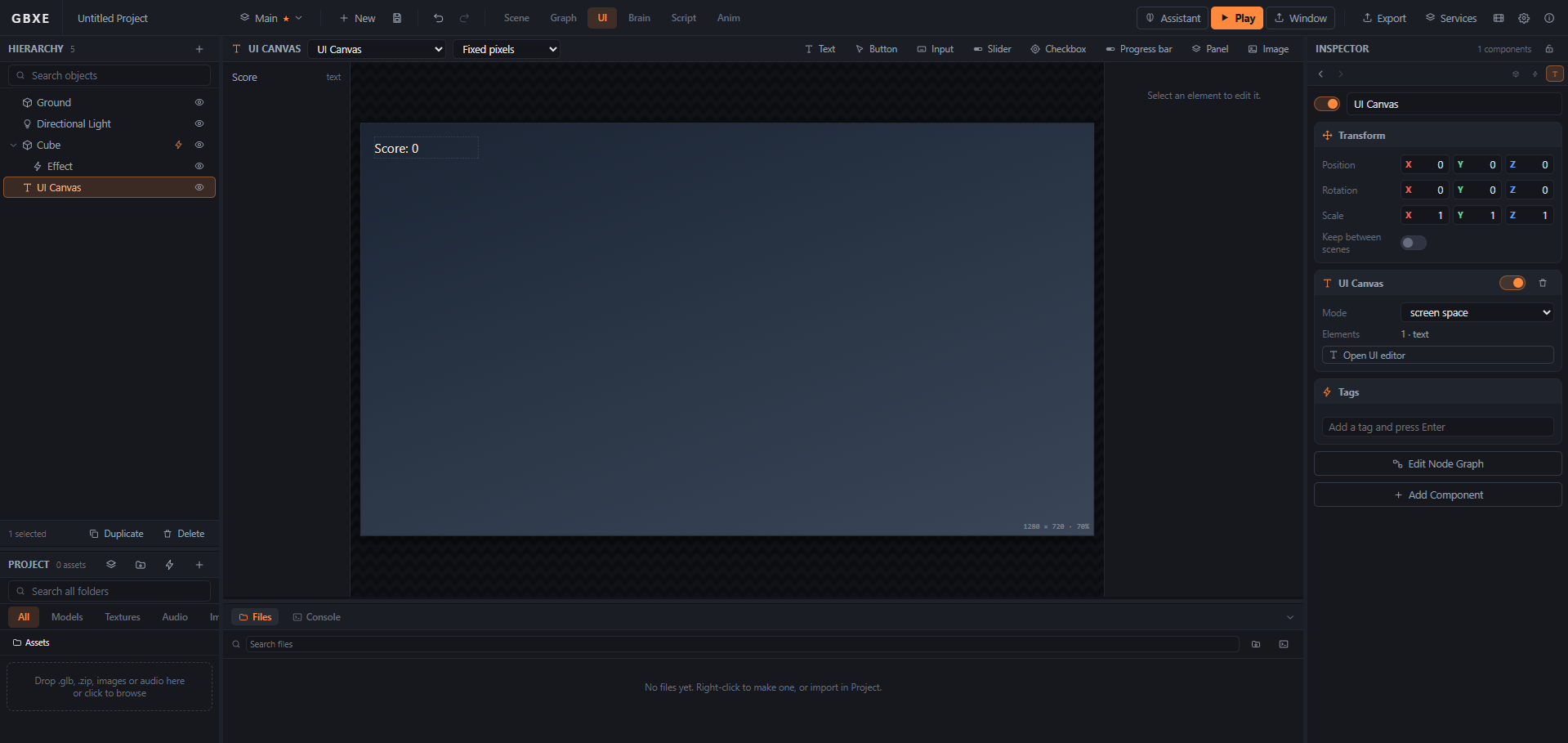
The HUD, laid out on a stage that scales to any screen
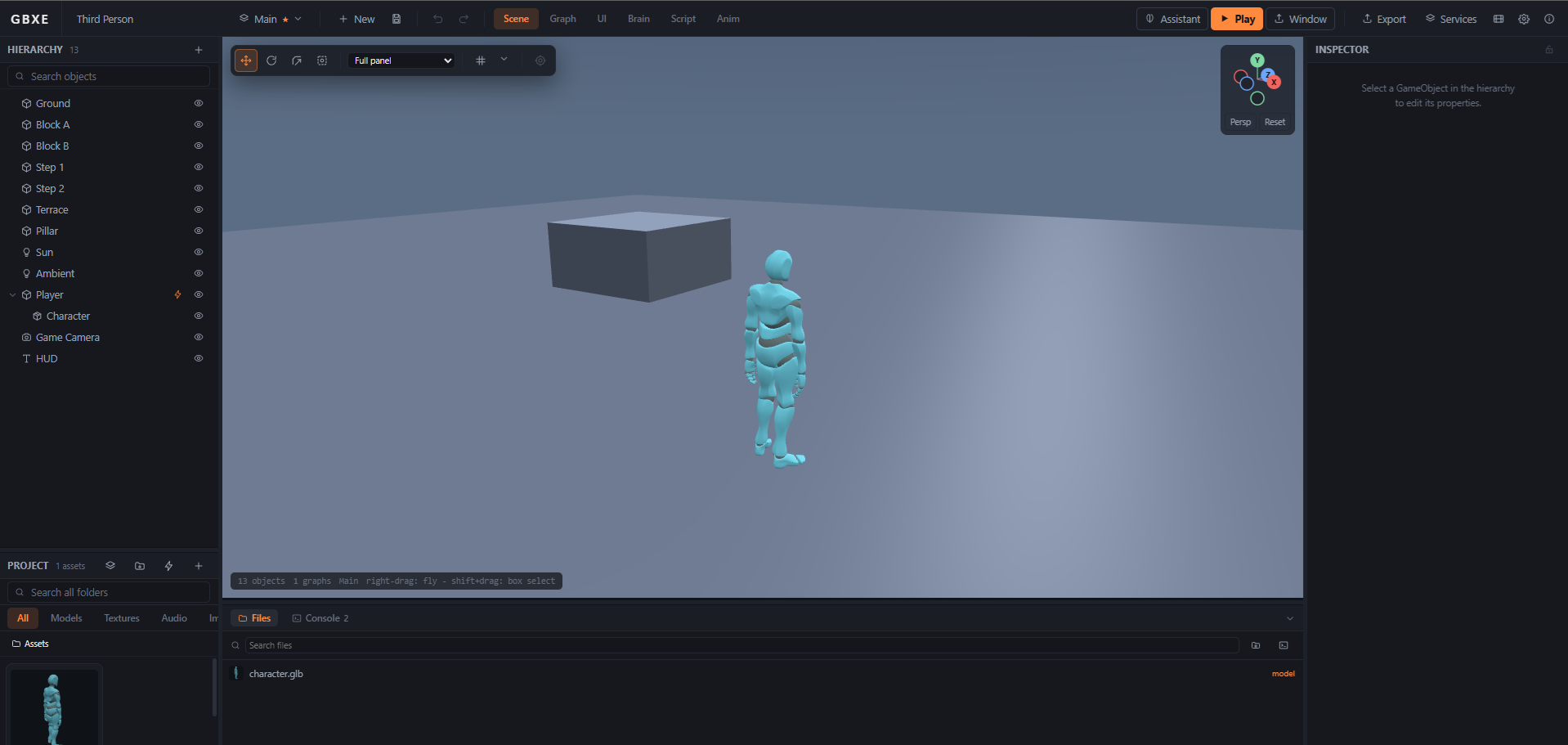
A rigged character, cross-faded clips, a camera on a boom
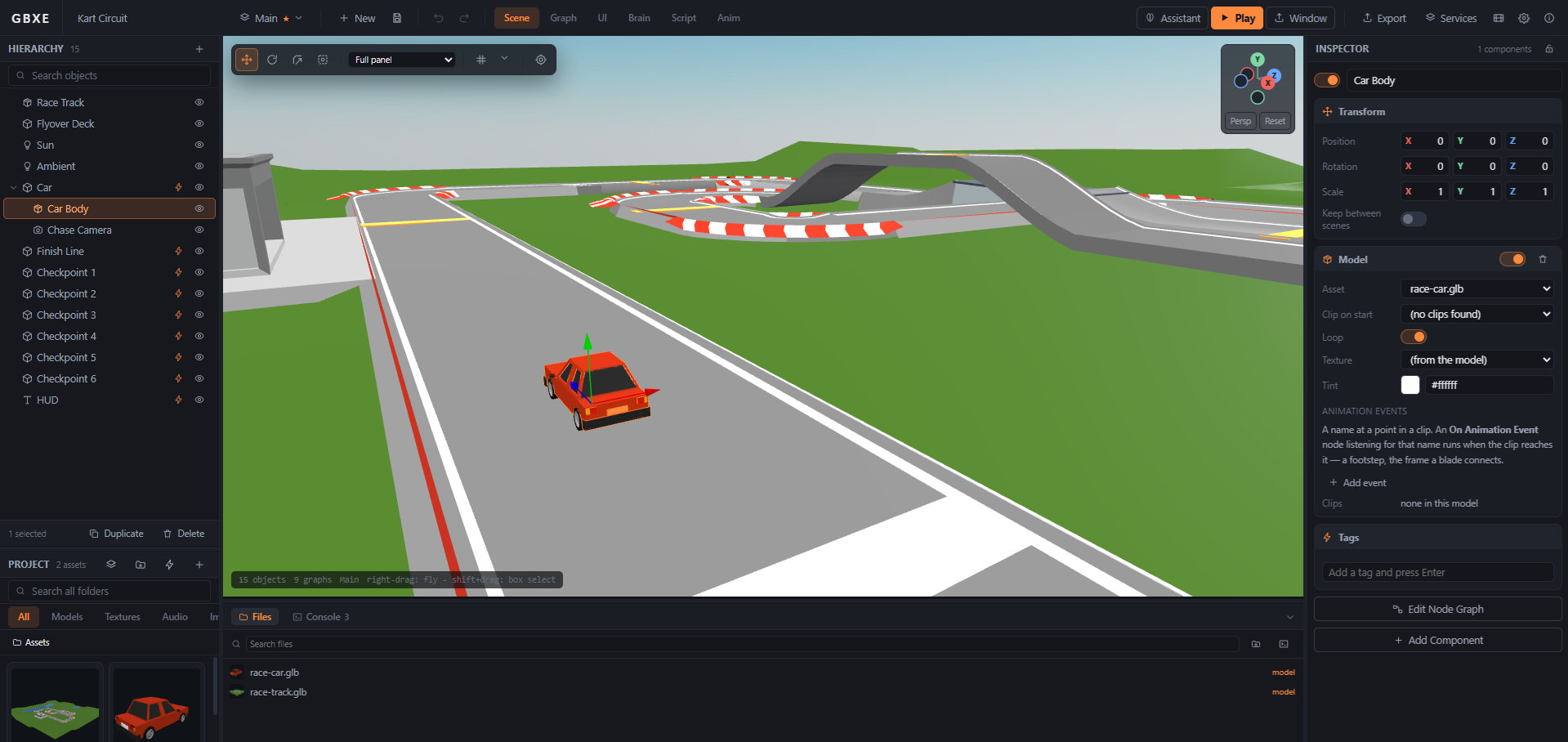
An imported track, checkpoints, three timed laps
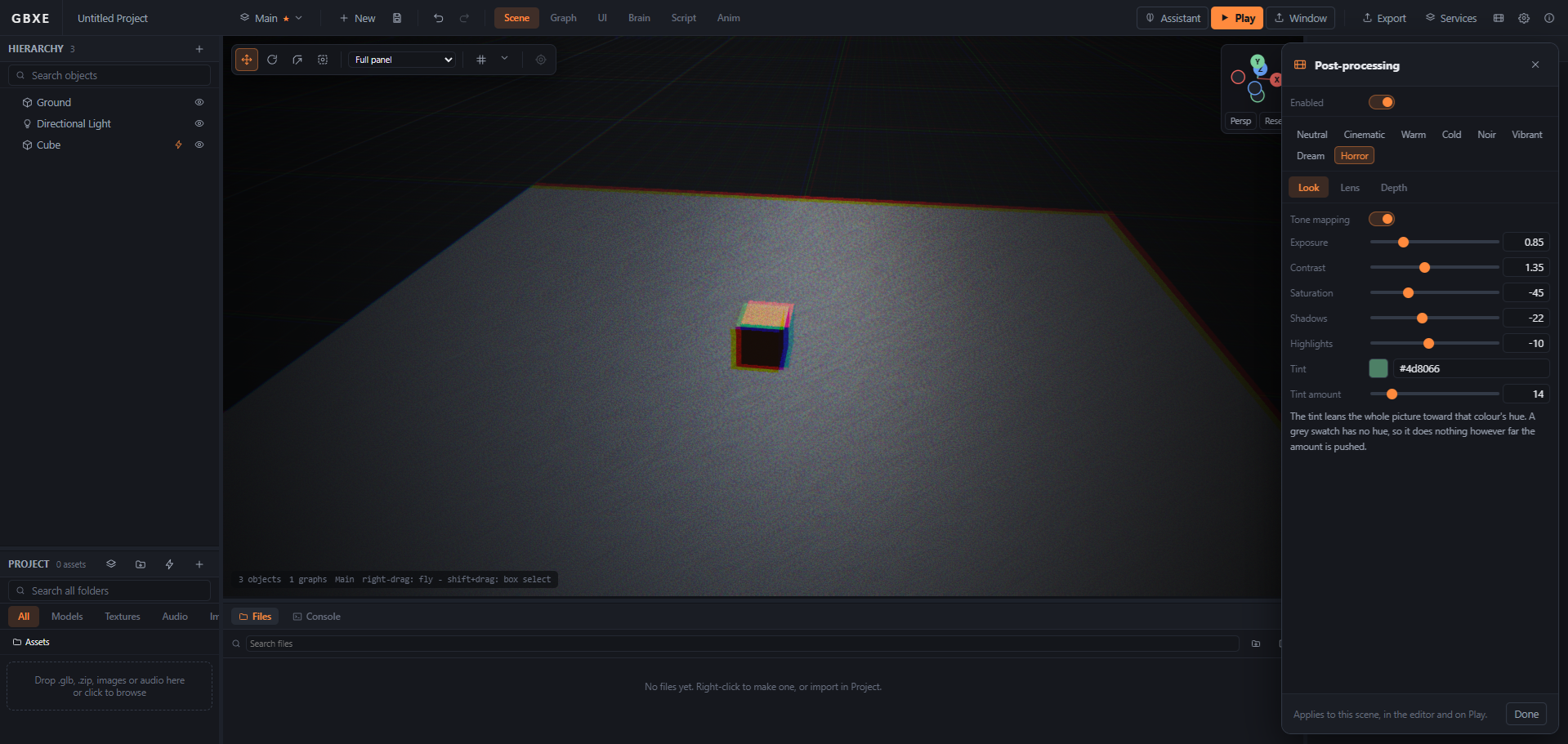
First person, a torch, and lighting that carries the mood
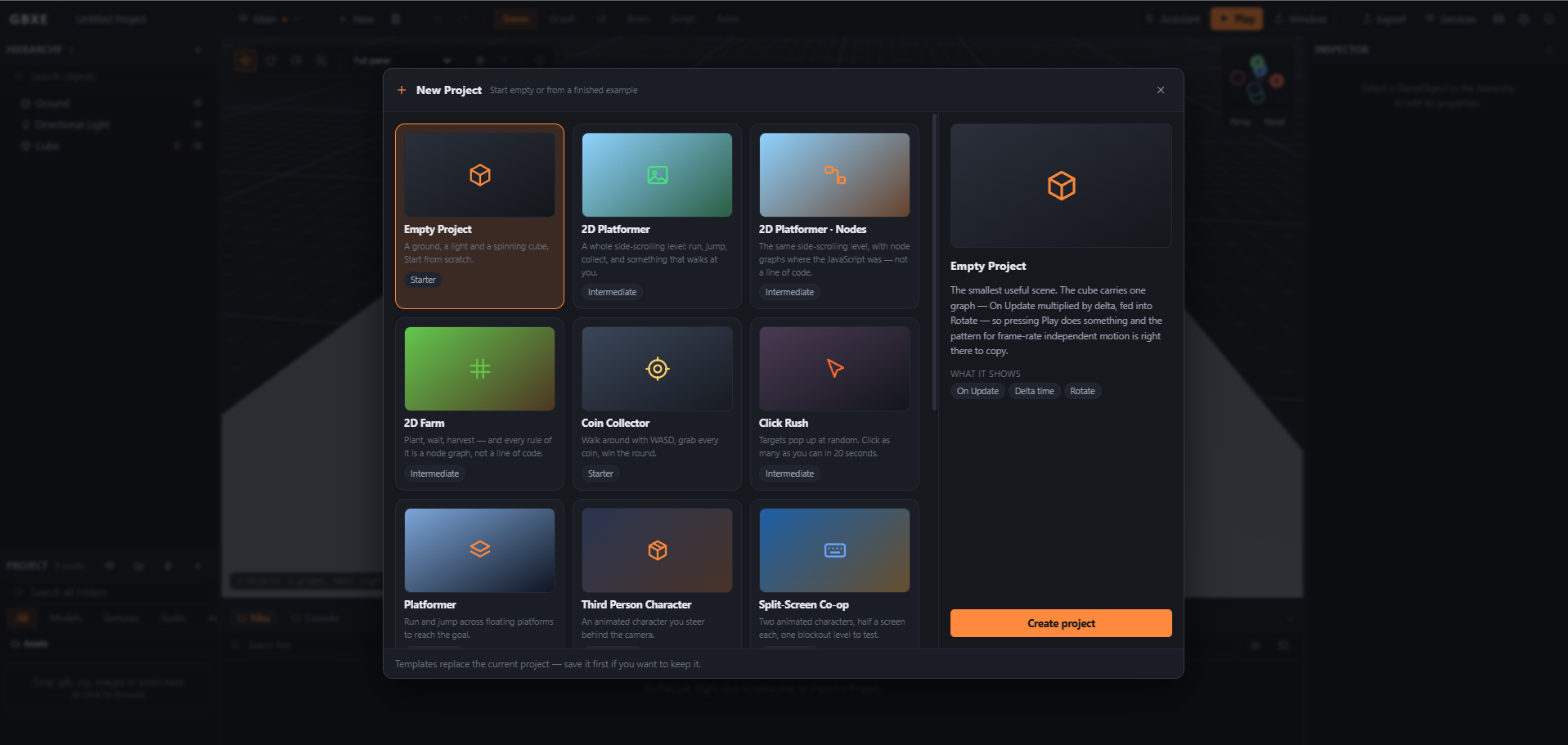
Fourteen finished games to start from, or take apart
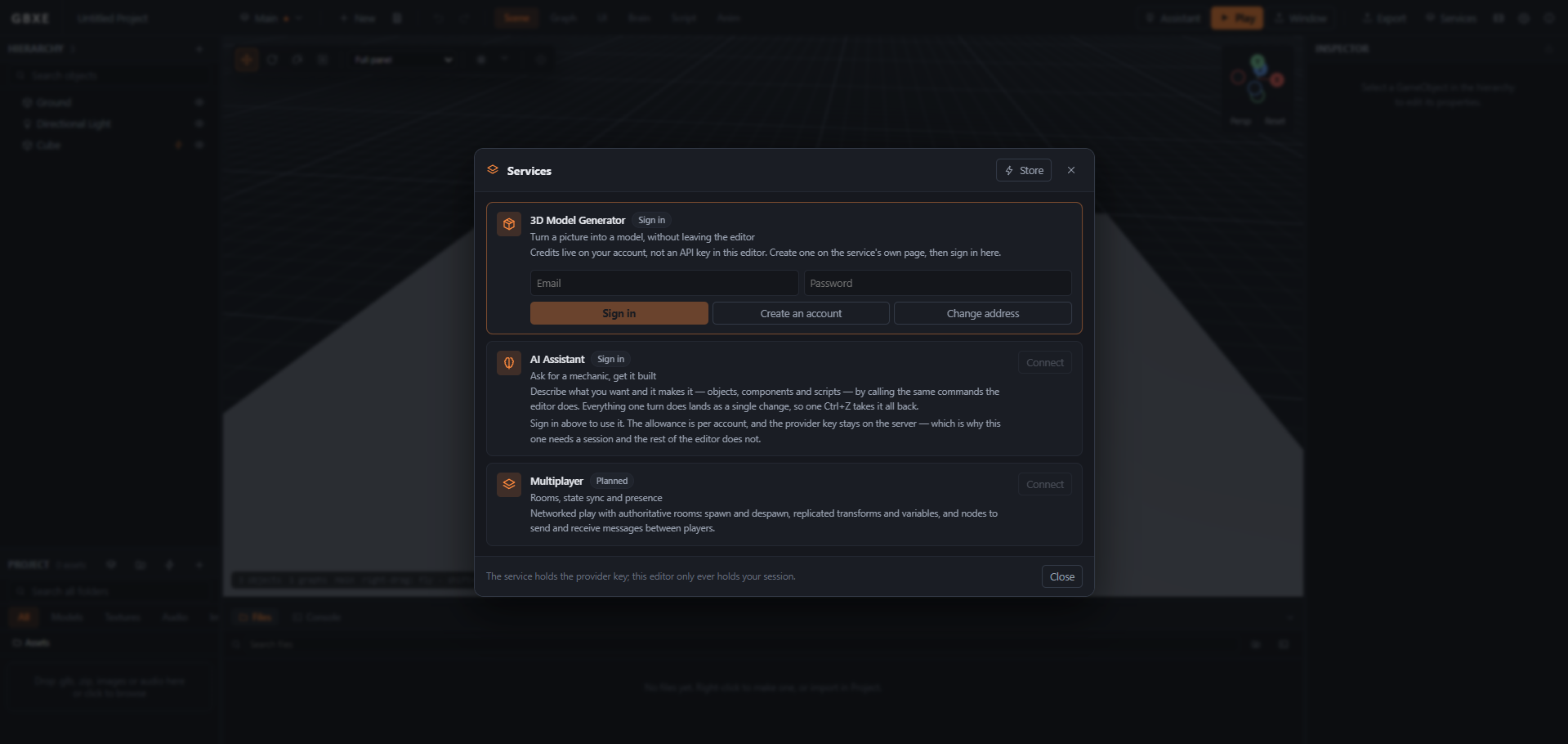
Generators, the assistant and MCP — all on one account
Drag out an event, wire it to what should happen, and watch it run. Or open the script editor and write it. They are two front ends onto one engine — the node that moves something and the line of code that moves something call the same method.
2D is not a second engine bolted on. A sprite is ordinary geometry, so hierarchy, prefabs, colliders, outlines and physics worked on it the day it existed. Tell the project it is flat and the editor changes its habits to match.
Hand it a photo or a drawing and get a textured model back, downloaded straight into the project's folder. Paid for in credits, with the provider key on our server and never in your editor.
Generate textures, sprites and backgrounds, or a piece of music for a level, and have them land in the project as assets you can use immediately.
Ask for a mechanic and it makes it — objects, components, graphs and scripts — by calling the same commands you do. A whole answer lands as one change, so one Ctrl+Z takes it all back.
Claude, or anything that speaks the Model Context Protocol, can build in your running editor through the same tools. Each call is one undoable change, and you watch them arrive.
Folders, previews, bulk edits, FBX import with a real converter on the desktop, audio trimming, and materials shared between any number of meshes.
Frame the viewport to a phone or a tablet, turn it on its side, and force the on-screen thumbsticks in — so you find out how it feels before you build it.
The particle editor runs the effect as you tune it. The timeline draws the real evaluator's curve, not a picture of one. Both are ordinary edits — Ctrl+Z works inside them like everywhere else.
Templates are ordinary projects: open their graphs, change anything, save it as yours. They are also how the engine tests itself — every one of them is opened and played on every change we make.
A whole side-scrolling level: run, jump, collect, and something that walks at you.
A rigged character with cross-faded clips and an orbiting camera.
A block world with character select and a soundtrack.
Three timed laps around an imported track, checkpoint by checkpoint.
A dark building, a torch, and a battery that is running out.
Two players, two cameras, one keyboard — or a gamepad each.
One game, six destinations. The runtime travels with it, and nothing points back at us.
A folder any static host will serve — itch.io, Netlify, GitHub Pages, your own server.
One click and your game is on the web at a link you can send, hosted by us.
An app with its own window, built from the project the editor writes for you.
The same, as a .dmg, built and signed on a Mac.
An AppImage that runs on any distribution without installing anything.
A Capacitor project, ready for Android Studio or Xcode and the stores behind them.
The same editor either way, and the same account. The desktop build adds the things a browser will not do: projects saved straight to disk, native file dialogs, a real FBX converter, and the MCP server.
Nothing to install. Open a tab and the editor is there, on any machine you sign in on.
Open the editor Chrome, Edge, Firefox or SafariAn installer that puts GBX Engine in your Start menu, with .gbxproj files on disk.
Download for Windows Checking for a build…A disk image with the editor inside, for Apple silicon and Intel.
Download for macOS Checking for a build…An AppImage: make it executable, run it, and nothing else is installed.
Download for Linux Checking for a build…The desktop builds are unsigned for now, so Windows SmartScreen and macOS Gatekeeper will warn on the first run. On Windows choose More info → Run anyway; on macOS right-click the app and choose Open.
No subscription, no royalty, no share of what you sell. Games you make are entirely yours.
Everything, for as long as you like.
Unlimited exports, on every machine you sign in on.
Credits pay for generated content — a 3D model, a picture, a track — and are sold in packs from $5. See the packs.

There is nothing to download and nothing to sign up for. The editor opens on an empty scene and a spinning cube, and everything on this page is already in it.